
ShapeBlue Migrate
Automated tool to move your VMware workloads to Apache CloudStack. Keep downtime low, ensure simplicity with end-to-end automation.


Leave VMware on your schedule, not your users' downtime.
ShapeBlue Migrate is an automated migration tool that moves VMware vSphere workloads to Apache CloudStack with KVM, from discovery and wave planning through to a scheduled cutover. It syncs disks while your VMs keep running and, on NFS-backed estates, reads them straight from the datastore, with no VDDK in the data path at all. The source stays available as your way back until you sign off.
Key Facts
ShapeBlue Migrate
Automated VMware to Apache CloudStack migration tool, developed by ShapeBlue and part of our CloudStack Infrastructure Support service.
Source and Target
Migrations from VMware vCenter and vSphere 6.5, 6.7, 7.0 and 8.0 to Apache CloudStack with KVM. 4.20 and later, with 4.22.1 or later recommended.
Migration Methods
CBT warm migration with optional direct NFS reads, VDDK, OVF, and OVERLAY zero-copy on shared NFS
VDDK Dependency
Not used by OVERLAY or OVF. CBT reads NFS datastores directly and falls back to VDDK only on VMFS and vSAN
Target Storage
ShapeBlue Migrate allows migrations to NFS primary storage, Shared Mount Point & Ceph RBD
Suitable For
Enterprises, cloud service providers and managed service providers, telecoms, who look for vendor independence and need to migrate away from VMware.
Migration Methods
No single transport fits every workload. Choose per VM or per wave, based on disk size, storage layout, network links and how much downtime each workload can take. Three of the four need no VDDK: only the VDDK method itself requires the library, and CBT uses it only where a datastore is not NFS-backed.

CBT
Copies the disk while the VM runs. Uses Changed Block Tracking to sync only the blocks that changed. On an NFS datastore it reads the disk from the export, so no VDDK library is needed and the read is faster. VMFS and vSAN fall back to VDDK.
Good fit for: Workloads where downtime is the main constraint, and to drop the VDDK dependency or reduce load on ESXi hosts.

Overlay
Zero-copy migration on shared NFS: no disk data is copied at all. The source VM keeps running, and a VM on VMFS is first moved to the NFS datastore by storage vMotion. The overlay chain is consolidated afterwards.
Good fit for: Environments where VMware and CloudStack reach the same NFS storage, and the fastest possible cutover matters.

VDDK
Reads VM disks through VMware’s Virtual Disk Development Kit, in a single conversion pass.
Good fit for: Source VMs that cannot use Changed Block Tracking.

OVF
Hands the transfer to CloudStack’s own OVF import, so no Migrate worker sits in the data path.
Good fit for: Almost any VMware environment where the CloudStack management server can reach vCenter.
Benefits of Doing your VMware Migration with ShapeBlue Migrate
Lower Risk
- Short, predictable outages instead of long copy windows
- Fewer failed migrations, with automatic retries
- Clear view of every wave before it runs
Less Manual Work
- Discovery, planning and execution are automated
- No manual driver installs, disk conversion or VM registration
- Shorter project timelines
Room to Choose Your Platform
- Move off VMware and reduce virtualisation licensing costs
- Run on Apache CloudStack, an open-source platform you control
- No vendor lock-in

How ShapeBlue Migrate Works
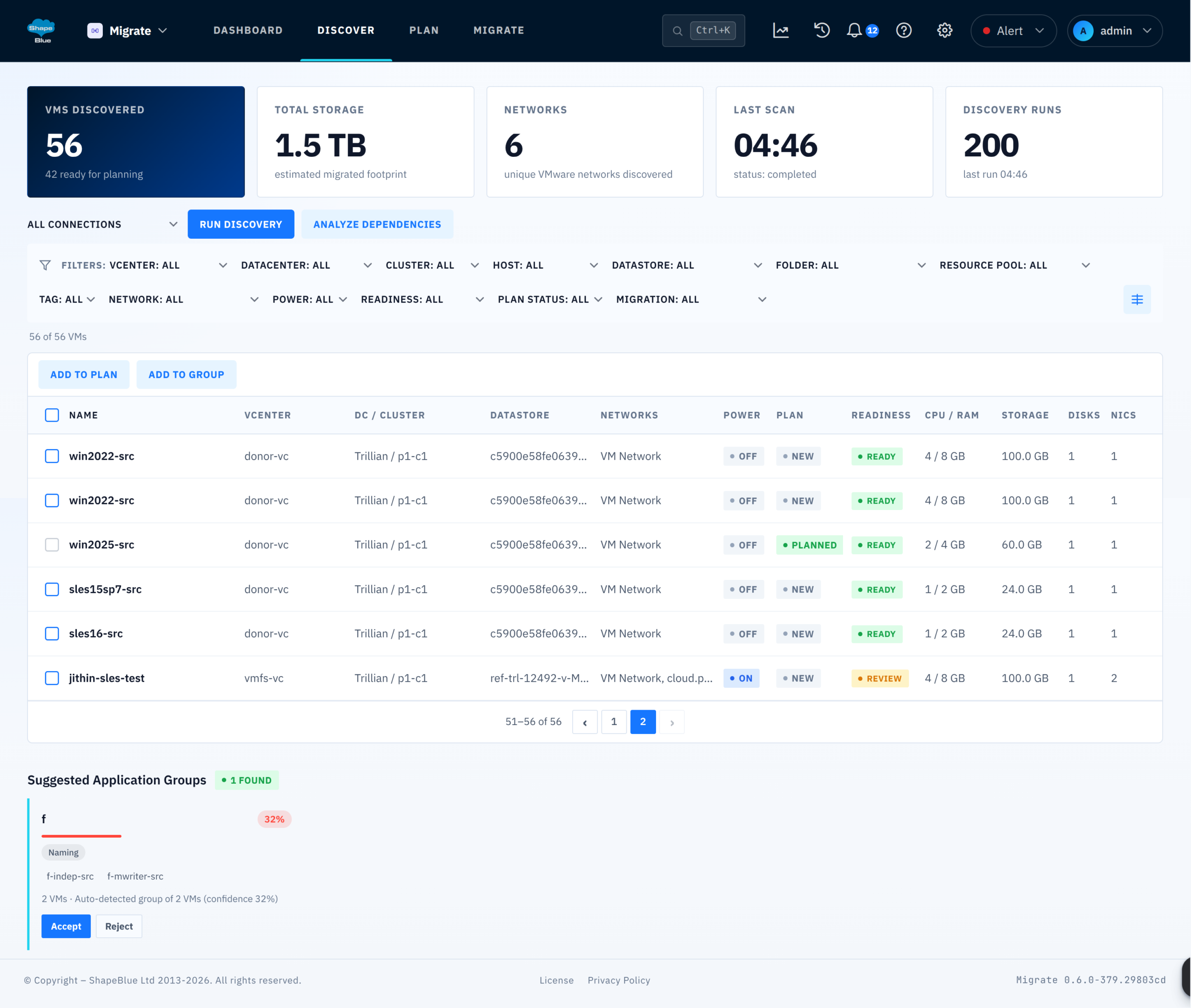
Discover: Agentless discovery across multiple vCenters. Filter by folder, resource pool or tag to scope what you migrate. Nothing is installed on the VMware side.
Plan in waves: Group VMs into ordered waves based on dependencies and risk. Set overrides for network, storage, compute offering and boot settings globally, per wave or per VM.
Move the data: Pick the transport that fits each workload: CBT, VDDK, OVF or OVERLAY. In NFS-backed environments, CBT can read disks directly from the datastore, with no VDDK in the data path. VirtIO drivers are injected, disks are converted and the VM is registered through the CloudStack API automatically.
Cut over on schedule: Book cutovers on a calendar, graceful or hard. With CBT, the final delta sync copies only what changed since the last pass, so the outage stays short and tracks how busy the VM is.
Verify and sign off: First-boot scripts run, IP and MAC addresses are preserved where you enable it, and you keep a rollback point on the VMware side until the cutover is signed off.
ShapeBlue Migrate Features Set
Inventory multiple vCenters with folder, pool and tag filters. No agents on the VMware side.
Group VMs by dependency and risk into ordered waves.
CBT delta sync copies only what changed, so the final outage stays short.
CBT reads source disks off the NFS export itself. The workers need no VDDK library, and the read is faster where the source is the bottleneck.
OVERLAY migrates a running VM without copying data on shared NFS.
CBT and VDDK write straight to Ceph RBD primary storage as well as NFS & SharedMountPoint.
Graceful or hard cutovers on a calendar, with tunable sync intervals.
Network, storage, offering and boot settings, set globally, per wave or per VM.
VirtIO driver injection, disk transformation and CloudStack registration with no manual steps.
Run your own customization when the VM first starts on CloudStack.
Guests can keep their original addresses, switched on per wave or per VM.
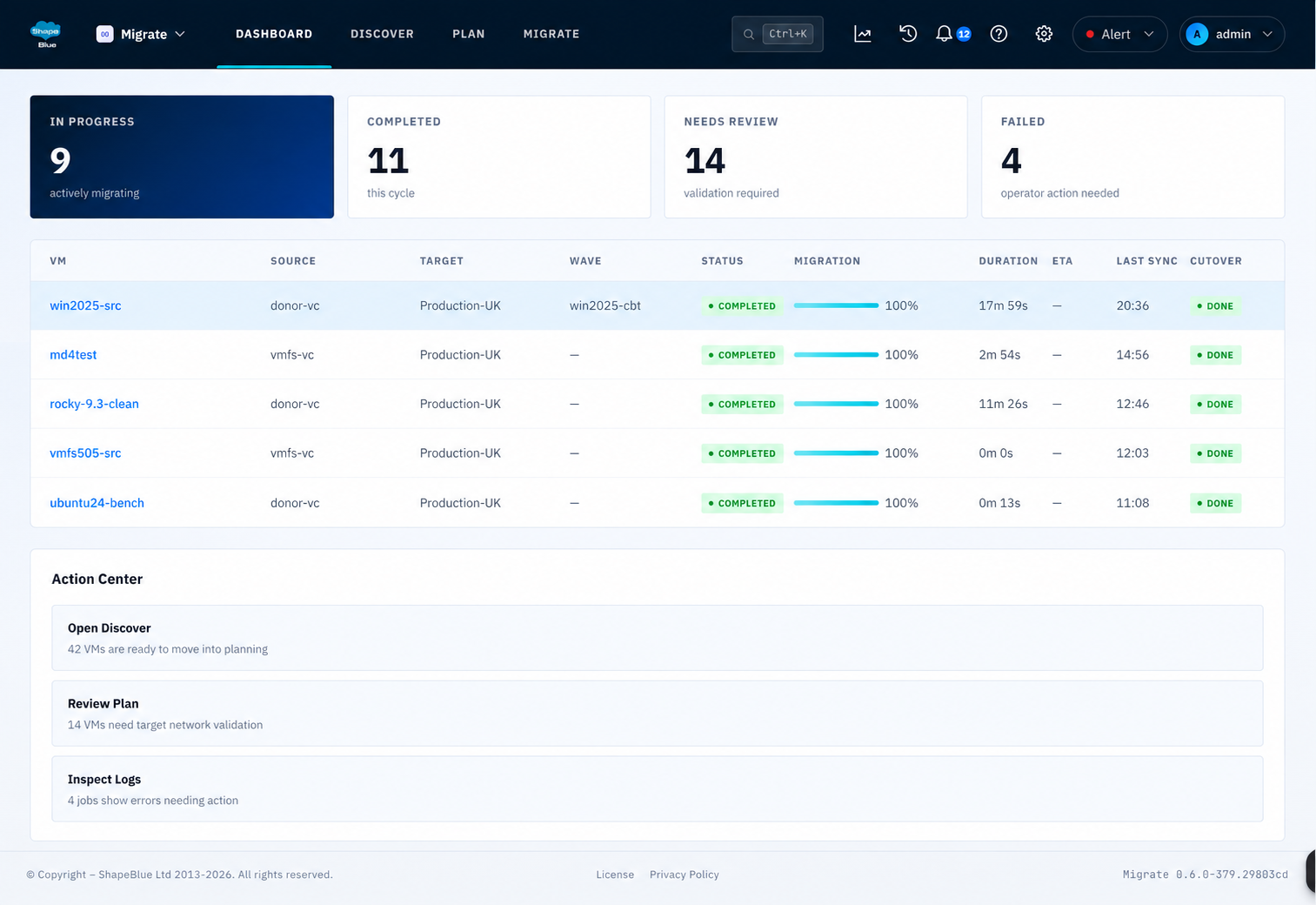
Per-VM progress, throughput and ETA, plus metrics, traces and logs.
A rollback point is kept on the VMware side until you sign off.
A mapping the CloudStack owner cannot deploy into stops the plan before any data moves, and unmapped NICs surface as VM readiness issues.
Backups, RBAC, encrypted credentials, audit trail, automatic retries, and a support bundle you can collect yourself.
See a VMware to CloudStack and KVM Migration in Action
Copying disks is the easy part. The hard part is moving VMs across a large estate without long outages, surprise failures or a weekend of manual fixes. Teams need to know which VMs move together, when each one goes offline and how to roll back if something looks wrong.
ShapeBlue Migrate is built around that problem. It plans the work, moves the data while VMs keep running, and limits the outage to a short cutover you schedule in advance.
See how ShapeBlue Migrate plans and runs a VMware to KVM migration: discovery, wave planning, warm migration with Changed Block Tracking, direct NFS reads and a controlled cutover, shown live in the product.
Test Drive ShapeBlue Migrate
ShapeBlue Migrate is available as part of the CloudStack Infrastructure Support service.
Interested to learn more about ShapeBlue Migrate or give it a try? Get in touch with our team and book a personalised demo.
Frequently Asked Questions
What is ShapeBlue Migrate?
ShapeBlue Migrate is an automated migration tool that moves VMware vSphere workloads to Apache CloudStack with KVM. It covers discovery, wave planning, data transfer, scheduled cutover and sign-off, and keeps a rollback point on the VMware side until you sign off.
Which platforms does ShapeBlue Migrate support?
It migrates VMs from VMware vCenter and vSphere 6.5, 6.7, 7.0 and 8.0 to Apache CloudStack with KVM. CloudStack 4.20 and later are supported, and 4.22.1 or later is recommended because it enables all four migration methods.
Can I migrate VMware to KVM without VDDK?
Yes. OVERLAY and OVF do not use VDDK at all. CBT can read the source disks straight from an NFS datastore over a read-only mount, which takes VDDK and the ESXi host out of the data path, so an NFS-backed estate needs no VDDK library on its workers and the read itself is faster. VMFS and vSAN sources fall back to VDDK automatically, and vCenter is still used for snapshots and changed-block queries.
How is ShapeBlue Migrate different from CloudStack's native VM import?
CloudStack’s import moves individual VMs, one operator action at a time. Migrate adds what large migrations need on top: discovery across multiple vCenters, wave planning, a choice of migration method per VM, scheduled cutovers, retries and progress tracking.
Do I need to install anything on my VMware hosts?
No. Discovery is agentless and nothing is installed on the VMware side.
What permissions does ShapeBlue Migrate need in vCenter?
Not the Administrator role. Migrate runs as a custom vCenter role, scoped to the folders that hold the VMs you migrate, and the user guide lists the privileges each migration method needs and how to validate the role. Migrate never powers a source VM on, never deletes or unregisters it, and never turns Changed Block Tracking back off.
How long is the downtime during cutover?
With CBT, the final delta sync copies only what changed since the last pass, so the outage is short and depends on how busy the VM is rather than on its disk size.
What happens if a migrated VM has a problem?
With CBT, VDDK and OVF the source VM is left untouched and stays available as a rollback point until you sign off. An OVERLAY migration is reversed with Relocate back, which returns the VM to its original datastore.
Will my VMs keep their IP addresses?
Yes, where you enable it. Each NIC is handled in one of three ways, set per wave or per VM: the address is injected into the guest, the source IP is requested from CloudStack while the guest stays on DHCP, or the guest uses DHCP with its original MAC preserved.
Can I control how individual VMs are migrated?
Yes. Choose the migration method per VM or per wave, and override network, storage, offering and boot settings globally, per wave or per VM.